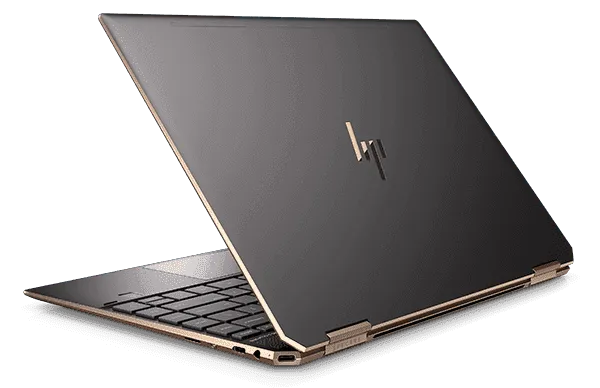
Choosing a laptop for university or college is easier when you begin with the work it must handle, not the logo on the lid. The right computer should open your course portal quickly, run the applications required by your department, survive daily travel and remain affordable to maintain. For many learners, carefully tested refurbished machines provide that balance better than low-specification new models.
This guide explains how to compare student laptops in Kenya for lectures, assignments, research, coding, design and online classes. It covers sensible specifications, dependable business-class models, realistic budget priorities and the physical checks to complete before paying. You can also browse the current laptop catalogue at Refurbished Laptops Kenya while using the checklist below to shortlist a suitable machine.
What makes a good student laptop in 2026?
A good student laptop is not necessarily the newest or most expensive option. It is the machine that completes your daily work without unnecessary delays. A business student may need Microsoft Office, many browser tabs and video meetings. A computer-science student may run an editor, a local server and virtual machines. An architecture or media student may require considerably more memory, graphics capability and storage.
When comparing student laptops in Kenya, judge every option using five practical factors: processor generation, RAM, SSD capacity, battery condition and physical durability. Screen comfort and weight also matter because a device that looks powerful on paper can still be unpleasant to carry or use for a long lecture.
- Processor: An Intel Core i5 from the 8th generation or newer is a strong general-purpose starting point. A capable Ryzen 5 is also suitable. Basic courses may run well on a Core i3, but very old processors can limit software support and multitasking.
- Memory: 8GB RAM is the practical minimum for smooth browsing, documents, presentations and online classes. Choose 16GB for programming, data analysis, design or heavier multitasking.
- Storage: A 256GB SSD gives far better responsiveness than an old mechanical hard drive. Consider 512GB if you keep large project files, videos or several development tools locally.
- Battery: Ask about tested runtime and the seller’s battery terms. Battery life varies with brightness, wireless use, workload and the age of the individual unit.
- Build quality: Business-class ThinkPad, Latitude and EliteBook models are designed for frequent professional use and are often easier to service than entry-level consumer machines.
Match the laptop to your course
The most useful way to narrow student laptops in Kenya is to separate ordinary study needs from specialist workloads. Buying far more power than your course needs wastes money, while buying too little can make every assignment frustrating.
Business, education, humanities and social sciences
For notes, research, spreadsheets, presentations and video calls, an 8th-generation Core i5, 8GB RAM and 256GB SSD is a dependable combination. A 13-inch or 14-inch display is convenient for travel. A full-size keyboard is helpful if you enter a lot of figures, but a separate numerical keyboard can solve that need at a lower cost.
Computer science, information technology and data courses
Programming students should aim for at least 8GB RAM, with 16GB preferred when the laptop will run containers, emulators, local databases or virtual machines. A 512GB SSD gives more room for project repositories and development tools. Choose a recent Core i5, Core i7 or comparable Ryzen processor, and confirm that the RAM and storage can be upgraded if your workload may grow.
Engineering, architecture and creative courses
CAD, 3D modelling, video editing and advanced design applications can require a stronger processor, 16GB or more RAM and dedicated graphics. Before ordering, check the exact system requirements published by your department or software vendor. A laptop that is excellent for essays may not be appropriate for rendering or simulation.
Online learning and short professional courses
A learner using web-based platforms, Zoom or Google Meet can prioritise a clear webcam, working microphone, reliable Wi-Fi and good battery condition. An SSD remains important because it improves startup and application loading even on an affordable machine.
Reliable refurbished laptop families for students
Several business-class families appear regularly among refurbished student laptops in Kenya. Availability changes, so compare the actual configuration rather than assuming every laptop with the same series name has identical parts.
Lenovo ThinkPad T and X series
ThinkPad T-series laptops are popular for their keyboards, sturdy construction and serviceability. Models such as the T480 offer a useful balance of performance, ports and upgrade potential. The smaller X-series can suit students who value portability, although its compact display and keyboard may feel restrictive during long desk sessions.
HP EliteBook 800 series
HP EliteBooks combine professional construction with comfortable everyday performance. The 830 and 840 families are worth considering for general coursework, depending on generation and specification. Check the keyboard, touchpad, hinges, USB ports and charging port on the exact unit.
Dell Latitude 5000 and 7000 series
Dell Latitude laptops are common in offices and can be practical for school because replacement chargers, storage and other service parts are familiar to many technicians. A 14-inch Latitude with an SSD and 8GB RAM is a sensible general-use option, while slimmer 7000-series models may offer easier portability.
Apple MacBook options
A MacBook may suit a student who already uses Apple services or needs macOS-specific software. Confirm that the model still receives the software support required by your course. Inspect battery health, ports, keyboard function and charger condition carefully. Also check whether specialised Windows-only applications used by your department have a supported alternative.
How much should a student spend?
Prices depend on generation, processor, memory, storage, physical condition and warranty, so a single figure can become outdated quickly. Treat advertised prices as a starting point and confirm the final amount, included charger, delivery cost and written after-sales terms before payment.
Budget student laptops in Kenya may be adequate for documents and web learning, but very low prices can involve older processors, limited storage or worn batteries. Mid-range refurbished business machines usually offer better long-term value because they can handle multitasking and may support RAM or SSD upgrades. A higher budget makes sense when your course depends on dedicated graphics, large datasets or demanding creative software.
If you want another view of the wider market, read MubarakTech’s guide to the best laptops for students in Kenya. You can also compare currently listed laptops and accessories at Mubarak Tech Store. Prices and availability change, so always confirm the exact model and configuration before travelling or sending payment.
Refurbished versus cheap new laptops
A low-cost new laptop may provide a fresh battery and manufacturer packaging, but some entry-level models use weak processors, soldered memory and small storage. A refurbished business machine can offer a stronger keyboard, better ports and faster everyday performance for a similar budget. The trade-off is that condition varies from unit to unit and the battery has already been used.
For that reason, the best choice among student laptops in Kenya depends on transparent condition information and testing. Ask whether the machine has been cleaned, whether its storage has been checked and whether all functions work. Obtain the warranty and return terms in writing. “Refurbished” should not be treated as a promise that every part is new.
What to inspect before paying
Whenever possible, inspect the exact laptop you will receive. If ordering remotely, ask the seller to confirm the model number, processor, RAM, SSD, screen condition and battery information in writing. Keep the product link and order record.
- Verify the specifications. Open the system information and confirm that the processor, memory and storage match the listing.
- Check the display. Look for lines, flickering, pressure marks, severe discolouration and dead pixels. Test brightness adjustment.
- Test input devices. Try every keyboard key, the touchpad, webcam, microphone, speakers and headphone socket.
- Test connectivity. Connect to Wi-Fi and Bluetooth. Try the USB, HDMI, Ethernet, memory-card and charging ports that you expect to use.
- Inspect the body. Small cosmetic marks may be acceptable, but cracked frames, loose hinges or a swollen battery deserve immediate attention.
- Confirm the operating system. Make sure it activates correctly and supports the software required by your institution.
- Ask about the battery. Request an honest estimate based on testing, and understand what the warranty does or does not cover.
- Confirm the charger. It should have the correct rating, fit securely and charge without unusual heat or interruption.
Accessories that improve a campus setup
A laptop sleeve or padded backpack protects the computer between home and campus. A mouse improves comfort for spreadsheets and design, while headphones make online classes easier in shared spaces. A flash drive or external SSD provides a useful second copy of important work, but it should not be your only backup.
For another local catalogue covering laptops and practical accessories, see Nimtech’s laptop shop in Nairobi. If you also need a phone for campus communication, authentication apps, scanning notes or mobile data backup, compare options at Refurbished Phones in Kenya. Buyers comparing other Kenyan technology websites can also visit TAS, then apply the same stock, specification, warranty and payment checks before ordering.
How to avoid common student laptop mistakes
Do not choose by processor label alone. Two Core i5 laptops from different generations can deliver very different performance and software support. Avoid an HDD-only computer if an SSD option fits your budget. Do not assume that a battery-health percentage guarantees a full day away from a charger, and do not rely on product photographs to prove the condition of the exact unit.
Another common mistake is buying for today’s light workload without considering the next two or three academic years. Among student laptops in Kenya, a model with upgradeable RAM and storage can be more economical than replacing the entire machine later. Check the manufacturer’s service information or ask a qualified technician whether the specific configuration is upgradeable.
Finally, keep academic files in more than one place. Use a reputable cloud service or a separate drive and enable automatic backups where possible. A laptop can be repaired or replaced; a final-year project with no backup may not be recoverable.
Questions to ask the seller
A clear enquiry saves time for both buyer and seller. Send the product link and ask: “Is this exact configuration in stock? Please confirm the processor generation, RAM, SSD capacity, battery information, physical condition, included charger, total price and written warranty. Can I inspect it before collection, and what are the delivery terms?”
When comparing student laptops in Kenya, use the same questions for every seller. That produces a fair comparison and helps you spot a low headline price that excludes a charger, upgrade or delivery. Never send money only because a deal is described as urgent. Confirm the business contact details and payment instructions through the official website.
Frequently asked questions
Is 8GB RAM enough for a university student?
Yes, 8GB is suitable for many courses that mainly use documents, browser research, presentations and online meetings. Choose 16GB for programming tools, large spreadsheets, data work, Adobe applications or heavy multitasking.
Is a 256GB SSD enough?
It is enough for the operating system, office applications and ordinary coursework if you manage files carefully. A 512GB SSD is more comfortable for videos, design files, development tools or large offline resources. External storage and cloud backup can supplement local capacity.
Which is better for a student: Core i5 or Core i7?
A recent Core i5 is usually the better-value choice for general study. Core i7 is useful when the specific generation and workload justify it, but the label alone does not guarantee that an older i7 will outperform a newer i5. Compare the full processor model and the laptop’s cooling, RAM and storage.
Can a refurbished laptop last through university?
It can, especially when the machine is a durable business model, has suitable specifications and is maintained properly. Longevity depends on the individual unit, battery wear, previous use and how it is handled. Written warranty terms and careful inspection reduce risk but cannot guarantee a fixed lifespan.
Where can I compare current options?
Start with the live listings for refurbished laptops available in Kenya. Use the specification and inspection checklist in this guide, confirm stock before visiting, and ask for written warranty and delivery details.
Choose for the work you actually do
The best student laptops in Kenya are not selected by brand popularity alone. They match the course workload, have enough memory and SSD space, are comfortable to carry and come with clear condition and after-sales information. Begin with your department’s software requirements, shortlist two or three configurations and compare the exact units using the same questions.
A carefully selected refurbished business laptop can give a learner dependable performance without stretching the budget unnecessarily. Take time to verify the processor generation, RAM, SSD, battery, screen, ports and warranty before you pay. That practical approach matters more than chasing the cheapest advert or the most impressive model name.